


In the world of digital content, your thumbnail is your first impression. Before anyone reads your title or watches your video, they see your thumbnail—and decide in seconds whether to click or scroll.
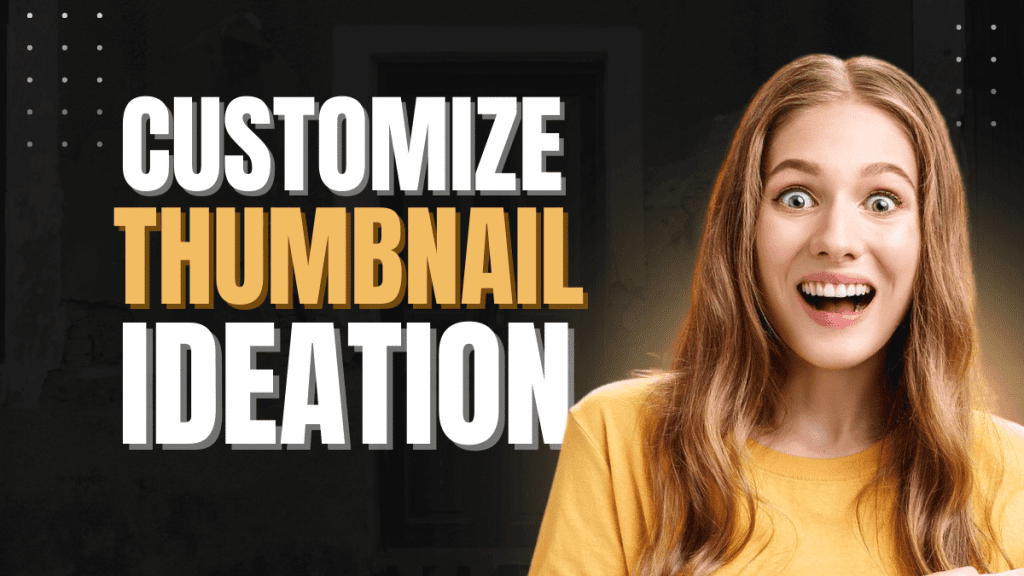
The image above represents a powerful idea: customized thumbnail ideation. It’s not about random designs. It’s about strategic creativity that attracts attention and boosts click-through rate (CTR).
Let’s break it down.
Why Thumbnail Customization Matters More Than Ever
With millions of videos uploaded daily, competition is brutal. A generic thumbnail blends in. A customized thumbnail stands out.
Customized thumbnails help you:
- Increase click-through rate (CTR)
- Build a recognizable brand
- Communicate emotion instantly
- Outperform competitors with similar content
In simple words: better thumbnails = more views.
The Psychology Behind Click-Worthy Thumbnails
Successful thumbnails are not accidents. They are designed using psychology.
1. Human Faces Grab Attention
The surprised and excited facial expression in the image triggers curiosity. Humans are naturally drawn to emotions.
Tip:
Use expressive faces—shock, excitement, curiosity, or joy.
2. Bold, High-Contrast Text Works Best
The text “CUSTOMIZE THUMBNAIL IDEATION” is large, bold, and easy to read even on mobile screens.
Rule:
If your text isn’t readable on a phone, it won’t perform.
3. Limited Words, Strong Message
Good thumbnails don’t explain everything. They tease the idea.
Best practice:
Use 2–5 powerful words, not sentences.
What Is Thumbnail Ideation?
Thumbnail ideation is the process of planning your thumbnail before designing it.
It answers three questions:
- What emotion should this thumbnail create?
- What makes this video different?
- Why should someone click this instead of others?
Design comes later. Thinking comes first.
How to Customize Thumbnail Ideation for Your Content
Step 1: Study Your Audience
Are they beginners, professionals, or casual viewers?
Your design should match their expectations.
Step 2: Analyze Top-Performing Thumbnails
Look at high-ranking videos in your niche:
- Color schemes
- Facial expressions
- Text style
- Layout patterns
Don’t copy—adapt.
Step 3: Match Thumbnail With Title
Your thumbnail and title should support each other, not repeat the same words.
Example:
- Title: How to Grow on YouTube Fast
- Thumbnail Text: Nobody Tells You This
Step 4: Build a Consistent Style
Consistency builds trust.
Same fonts, same color tones, similar layout = strong branding.
Common Thumbnail Mistakes to Avoid
- Too much text
- Low-quality images
- No clear focal point
- Weak contrast
- Misleading visuals (hurts retention)
A thumbnail should attract clicks without lying.
Tools for Creating Custom Thumbnails
You don’t need expensive software to start.
Popular tools:
- Canva
- Photoshop
- Photopea
- Figma
The real power is not the tool—it’s the idea behind the design.
Final Thoughts
Thumbnail customization is not decoration—it’s strategy.
The image you shared perfectly represents modern content creation:
- Clear message
- Strong emotion
- Bold typography
- Professional layout
If you master thumbnail ideation, your content instantly becomes more competitive—no matter your niche.